
Win the matchup
before minions spawn.
Openmid is a desktop dashboard that wakes when champ select starts — lane matchup tips from real players, briefings on every enemy pick, and your own notes, all without alt-tabbing.
■ Free · Windows & macOS · Patch 26.17
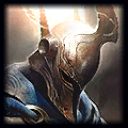
 Conqueror
 Resolve
 Doran's Blade
 Eclipse
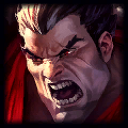
Poke with Q at max range and back off before he stacks Hemorrhage — Darius only wins extended trades.
Community Emerald II · ▲ 41After he burns his pull, you win the all-in. W onto him and hold E for the R.
Your note
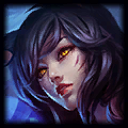 Ahri [kit briefing]
 Jinx [kit briefing]
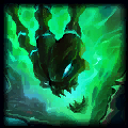 Thresh [kit briefing]
 Lee Sin [kit briefing]
One glance, not one alt-tab
It wakes up with your lobby
Openmid sits idle on your second monitor until the League client enters champ select. No tabbing out, no searching — the moment picks start, your dashboard is live.
Your lane opponent, briefed
The enemy assigned to your role gets the featured card: difficulty rating, recommended runes and items, and lane tips written by real players — with your own notes merged on top.
Stays useful after minions spawn
In game, the dashboard switches to a live view of the match, so the intel you need stays one glance away instead of buried behind alt-tab.
Community matchup tips
Lane-specific advice written and voted on by players, attributed with author and rank — not generated filler.
Your notes, first-class
Write your own matchup notes in the app. They live on your machine, appear on top of community tips, and you can publish the good ones.
Kit briefings for every enemy
A curated "how to play against this kit" card for all 173 champions, so the four enemies outside your lane are never a mystery.
Always on-patch
Champion, item, and rune data comes straight from Riot's Data Dragon and updates every patch — currently 26.17.
The library
Everything in the app is built on Riot's official Data Dragon — browse it right here, updated every patch.
Champions
Abilities, base stats, and tips for playing with and against every champion.
Browse champions → 224Items
Every Summoner's Rift item with full stats, passives, and build paths.
Browse items → 5Rune trees
All keystones and minor runes across Precision, Domination, Sorcery, Resolve, and Inspiration.
Browse runes →Openmid for desktop is almost here.
The app is feature-complete and in final testing while we finish Riot's production API review. Public builds for Windows and macOS land right after.
■ Request early access